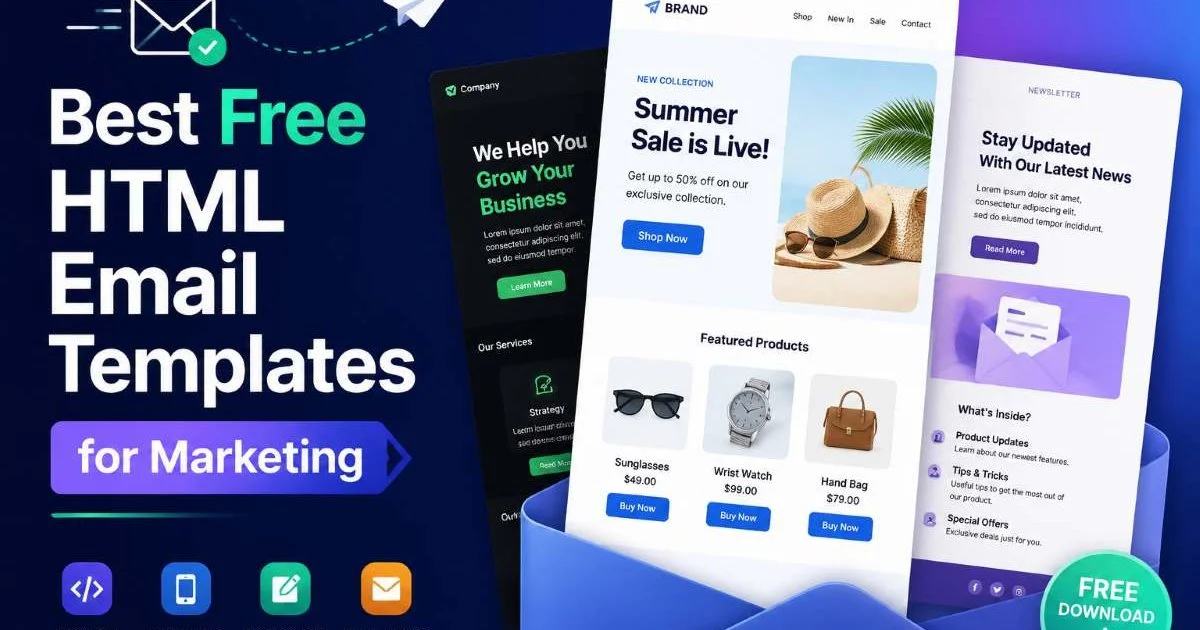
Free HTML email templates give front-end developers a significant head start when building marketing campaigns. Instead of coding every table, media query, and inline style from scratch, you can grab a well-tested template and customize it in a fraction of the time.
The stakes are real: emails with broken layouts see open rates plummet, and brands lose trust when a message renders as a wall of code in Outlook. For developers, the challenge is finding templates that are genuinely production-ready, not just pretty screenshots.
This guide walks you through four concrete steps to find, evaluate, customize, and deploy free HTML email templates for marketing. Whether you're building for an agency client or your own SaaS product, these steps will save you hours of debugging.
If you want to understand how templates work at a fundamental level, our guide on what HTML templates are, with examples and how they work, provides the foundation. Let's get practical.
Key Takeaways
- Free HTML email templates cut development time by 50% or more on typical campaigns.
- Always test templates in Outlook, Gmail, and Apple Mail before sending to subscribers.
- Inline CSS is mandatory because most email clients strip embedded stylesheets completely.
- Choose templates built with tables, not divs, for maximum rendering compatibility.
- Personalization tokens and dynamic content blocks boost click-through rates significantly.
Step 1: Source Reliable Free HTML Email Templates
Not every free HTML email template floating around the internet is worth your time. Many are outdated, use deprecated markup, or haven't been tested beyond Chrome's rendering engine. The first step is narrowing your search to sources that actively maintain their template libraries and provide clear licensing terms. You want templates that ship with clean, commented code, not minified blobs that take longer to reverse-engineer than to build fresh.
What Makes a Template Source Trustworthy
Look for repositories or platforms that include version histories, responsive previews across clients, and documentation on supported email platforms. A good indicator is whether the source lists specific client compatibility (Outlook 2016+, Gmail, Apple Mail, Yahoo). Templates from active open-source projects on GitHub tend to be more reliable because community contributors catch rendering bugs that a solo developer might miss. Avoid any template that only shows a desktop screenshot as its preview.
Check GitHub "last updated" dates. Templates not updated in over 18 months likely have unpatched rendering issues.
Top Sources Compared
Several well-known platforms offer genuinely production-ready templates. MJML provides a framework that compiles to email-safe HTML, and its templates are actively maintained. Litmus Community offers peer-reviewed templates with built-in testing data. Foundation for Emails (by Zurb) remains a solid choice for developers who want a Sass-based workflow. Each platform has trade-offs in flexibility versus ease of use, so pick one that matches your existing toolchain rather than forcing a new workflow.
The table above highlights five options worth bookmarking. Cerberus stands out for its extreme backward compatibility, supporting Outlook versions as far back as 2007. Maizzle appeals to developers already comfortable with Tailwind CSS, letting you write utility classes that compile into inline styles. Test at least two of these sources against your most common campaign types before committing to one.
Step 2: Evaluate Template Quality Before Committing
Downloading a free HTML email template is easy. Knowing whether it will actually render correctly across 90+ email clients is the hard part. Before you invest hours customizing a template, spend 15 minutes running basic quality checks. Open the source code and look for nested tables, inline styles, and proper use of HTML attributes like width, bgcolor, and align. If the template relies heavily on CSS Grid or Flexbox, walk away; those properties are largely ignored by Outlook's Word-based rendering engine.
Rendering Compatibility Checklist
Start by searching for <div> usage. Divs work in web browsers, but email is a different world. Templates built on table-based layouts handle the widest range of clients. Next, check whether all CSS is inlined. If styles live in a <style> block, you'll need to run them through an inliner before sending. Gmail's non-IMAP clients and many versions of Outlook strip <style> tags entirely, which will break your layout.
Gmail clips emails larger than 102KB. If your template's HTML exceeds this threshold, the bottom of your email simply disappears.
Examine how images are handled. Every <img> tag should have explicit width and height attributes, a meaningful alt attribute, and display:block styling to prevent gaps in Outlook. Check for VML (Vector Markup Language) fallbacks if the template uses background images; without VML, Outlook will show a blank space. A template that handles these edge cases properly signals that its author understands the brutal reality of email client rendering.
Finally, validate the HTML. While email HTML doesn't need to pass W3C validation perfectly, looking for unclosed tags, missing table cell declarations, and improperly nested elements saves debugging time later. A quick paste into an HTML validator catches the obvious mistakes before they become production bugs that your QA team reports at 11 PM on launch night.
"The best free email template is the one you don't have to debug at midnight before a campaign launch."
Step 3: Customize Templates for Your Brand and Audience
Once you've selected a quality template, the real work begins: making it yours. Customization goes beyond swapping logos and hex codes. You need to restructure content blocks for your specific campaign goals, add personalization tokens that your ESP (Email Service Provider) supports, and build in accessibility features like semantic role attributes and sufficient color contrast. Think of the template as scaffolding, not a finished building.
Structuring Content with Tables
Email layout relies on tables in ways that would horrify a modern web developer. Yet this is 2024's reality. Use role="presentation" on layout tables so screen readers don't announce them as data tables. When you need to present actual comparative data within the email itself, such as pricing tiers or feature lists, you can reference tools like a best HTML table generator to quickly produce clean, accessible table markup that you can then inline-style for email compatibility.
Add role="presentation" to every layout table and border="0" cellpadding="0" cellspacing="0" to prevent default spacing in older clients.
For multi-column layouts, use a parent table with width="100%" and nested tables for each column. Set column widths in pixels, not percentages, for Outlook compatibility. On mobile, use a media query (in a <style> block as a progressive enhancement) to stack columns vertically. Clients that strip the style block will fall back to the fixed-width layout, which is still readable if you've kept column widths reasonable at around 280 to 320 pixels each.
Privacy and Tracking Considerations
Modern email marketing involves tracking pixels, UTM parameters, and sometimes dynamic content loaded from external servers. As a developer, you should understand how these mechanisms interact with privacy regulations. If your campaigns target European audiences, you must consider GDPR requirements around tracking. This article on how AI tools impact your data privacy covers related concerns that apply when you're integrating AI-powered personalization into email templates. Avoid embedding third-party scripts that collect data without user consent.
Strip out any tracking elements from free HTML email templates that you don't explicitly need. Some templates come pre-loaded with analytics snippets from the original creator's platform. Audit every external URL, image source, and hidden pixel before deploying. Your users' trust, and your legal compliance, depends on this diligence.
Apple Mail Privacy Protection pre-fetches tracking pixels, making open rate data unreliable for roughly 50% of mobile users.
Step 4: Test, Optimize, and Deploy
Testing email templates is fundamentally different from testing web pages. You can't just open a browser, hit refresh, and call it done. Email clients render HTML using wildly different engines. Outlook uses Microsoft Word's rendering engine. Gmail sanitizes your HTML aggressively. Samsung Mail has its own quirks. A methodical testing workflow is the only way to ship emails that look right everywhere your subscribers read them.
Testing Workflow
Start with a free HTML email preview in Litmus or Email on Acid (both offer limited free tiers). These tools render your template across dozens of clients simultaneously and flag issues. If budget is zero, send test emails to personal accounts on Gmail, Outlook.com, Yahoo, and Apple Mail at minimum. Open each on both desktop and mobile. Document every rendering inconsistency in a simple spreadsheet, then fix issues starting with the highest-usage clients in your subscriber list.
After visual testing, run your template through an accessibility checker. Verify that all images have alt text, that link text is descriptive (not "click here"), and that color contrast ratios meet WCAG AA standards. Screen reader users account for a meaningful portion of email subscribers, and accessible emails also tend to perform better in plain-text fallback mode. These checks take minutes but prevent exclusion of real users from your campaigns.
Performance Benchmarks
Track how your customized template performs against industry benchmarks. Average email open rates hover around 21% across industries, with click-through rates near 2.5%. If your numbers fall significantly below these, the template itself might be the problem. Broken rendering, slow-loading images, or missing alt text all contribute to lower engagement. Run A/B tests on layout variations, swapping single-column against multi-column designs, to find what resonates with your specific audience segment.
Optimize your template's file size before every send. Compress images using tools like TinyPNG, remove unnecessary HTML comments, and minify your final output. Remember that 102KB Gmail clipping threshold. A lean, well-structured free HTML email template loads faster on mobile networks, renders more reliably, and delivers better engagement metrics. Keep a version-controlled repository of your templates so you can track changes and roll back when a client update breaks something unexpectedly.

Frequently Asked Questions
?How do I inline CSS in a free HTML email template?
?Is MJML better than Foundation for Emails for beginners?
?How much time do free HTML email templates actually save?
?Will a free HTML email template built with divs break in Outlook?
Final Thoughts
Building marketing emails doesn't have to mean starting from a blank file every time. Free HTML email templates from reputable sources give you tested, compatible foundations to build on.
The four steps outlined here, sourcing, evaluating, customizing, and testing, form a repeatable workflow that scales from a single campaign to an entire template library. Invest the time upfront in quality checks and client testing, and you'll spend far less time debugging in production. Your subscribers will see polished, professional emails, and you'll ship them faster.
Disclaimer: Portions of this content may have been generated using AI tools to enhance clarity and brevity. While reviewed by a human, independent verification is encouraged.